
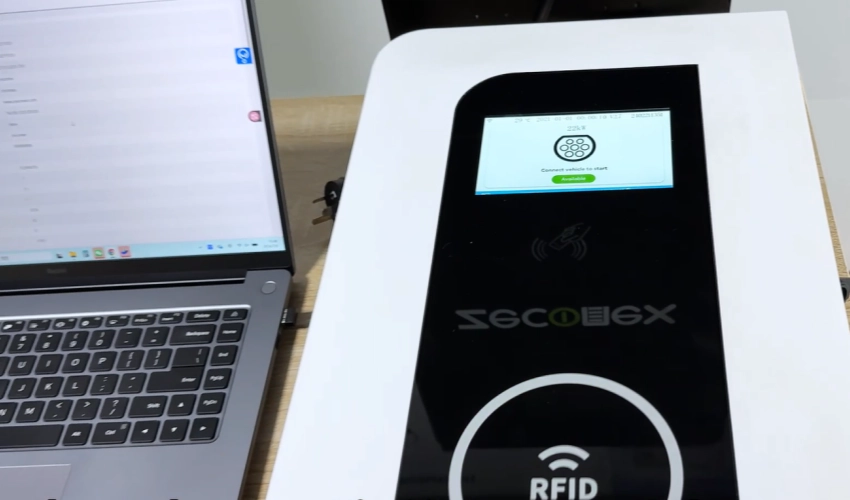
By default, a stable internet connection is essential for the normal operation of networked EV chargers. The charger communicates with the backend management system over the network to support functions such as device management, status monitoring, transaction data synchronization, and remote operation and maintenance. If a network connection is unavailable, chargers will not be able to operate.
For applications that do not require network-based management, some chargers also support "Plug & Play" mode. In this mode, users can charge directly without connecting the charger to the internet or a backend platform.
Why Do EV Chargers Need an Internet Connection?
Remote Monitoring and Management
Networked chargers deliver real-time operating status, fault codes, and availability data to a central OCPP backend platform, enabling centralized oversight across multiple charging ports and reducing the frequency of routine on-site status checks. Operators can monitor device status remotely and respond to confirmed faults promptly.
Charging Data and Transaction Management
Connectivity transmits granular energy readings from the built-in meter. For commercial models with MID-certified meters, it supports kWh-accurate billing and generates traceable transaction records for revenue reconciliation.
Smart Charging and Load Management
For commercial-grade chargers, internet connectivity enables local load balancing across networks of up to 16 devices, automatically adjusting power output to avoid exceeding grid capacity limits. This helps optimize power distribution for multi-charger sites.
Firmware Updates and Remote Maintenance
Online firmware updates deliver performance optimizations and functional patches, reducing on-site upgrade operations. Real-time fault code upload helps technical teams identify common operational and connectivity faults quickly, shortening troubleshooting cycles.
How Do EV Chargers Connect to the Internet?
Wi-Fi Connectivity
Wi-Fi is a widely used wireless option for residential and small commercial sites, leveraging existing local broadband infrastructure.
ZECONEX supports two Wi-Fi modes:
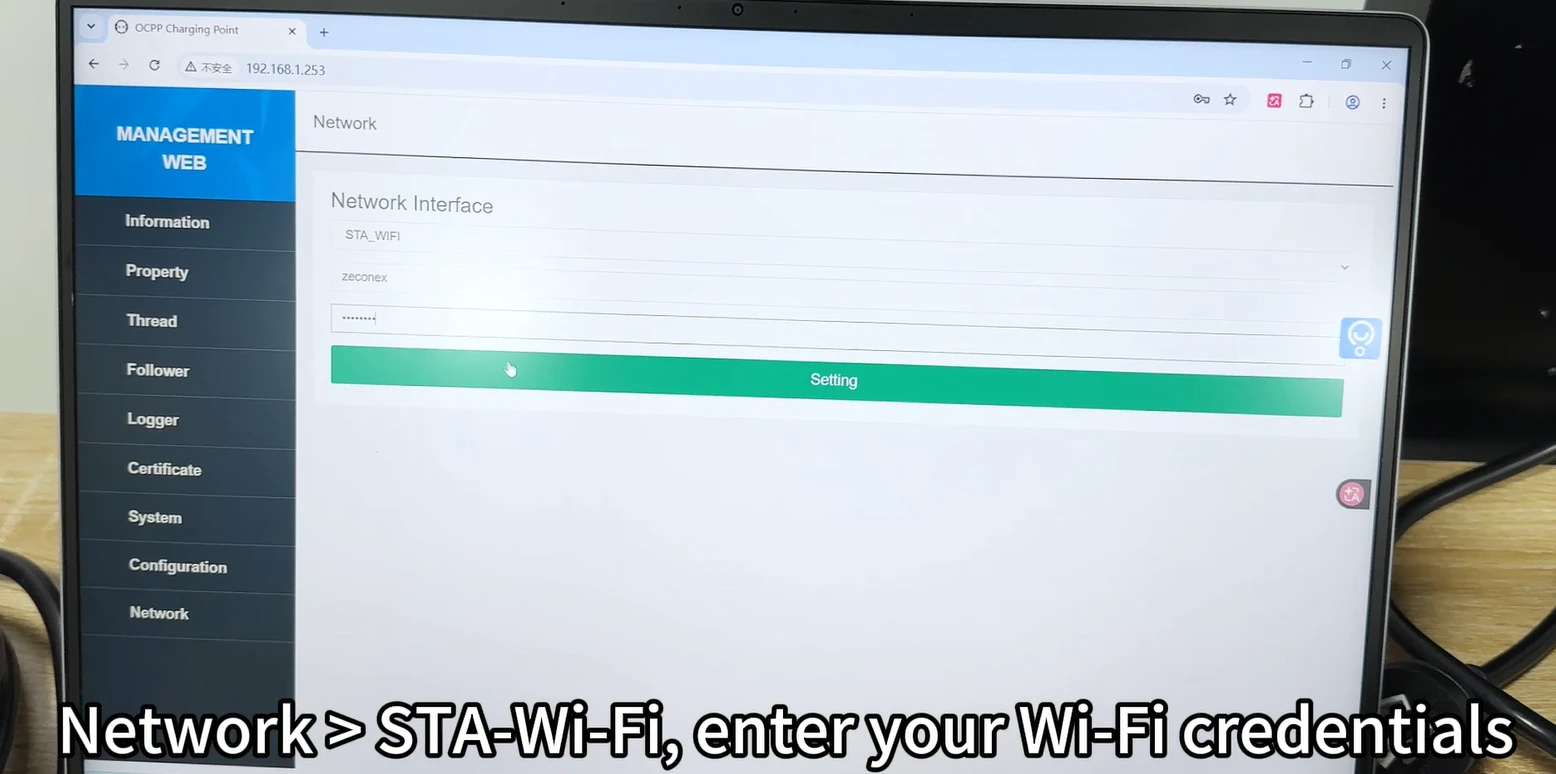
Station mode for connecting to a site router, and access point mode for initial local configuration via a direct device hotspot. Setup is completed through a built-in web interface, where users enter network credentials.
Ethernet Connectivity
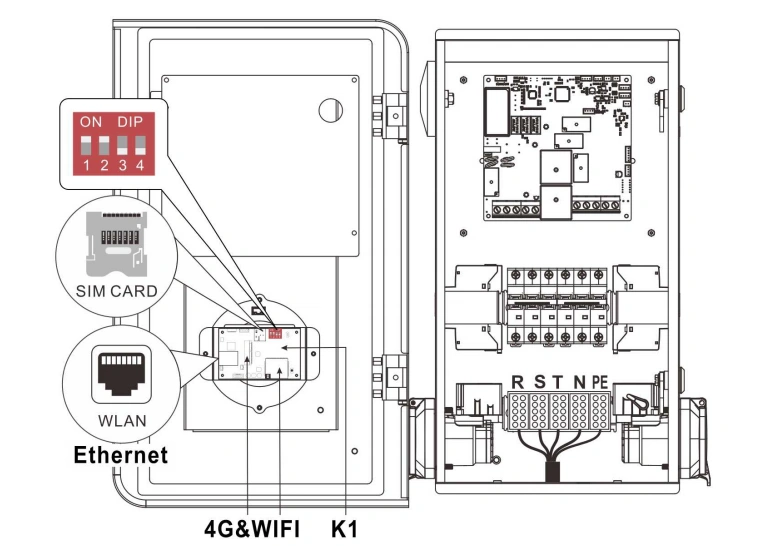
Ethernet provides a wired, stable connection via standard RJ45 ports, suitable for permanent commercial installations with pre-installed network cabling. It delivers consistent, low-interference performance and is used for both regular network communication and local parameter configuration.
4G Cellular Connectivity
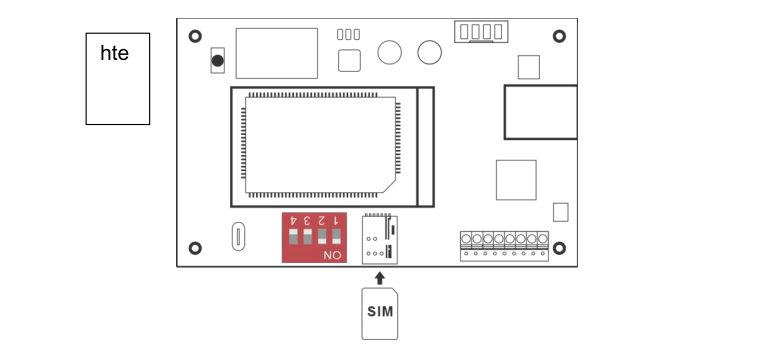
For select commercial models with optional 4G capability, cellular connectivity offers independent network access via an internal micro-SIM card slot. It removes reliance on on-site fixed broadband, suiting public parking lots, roadside stations, and deployments where wired access is unavailable. The micro-SIM card is installed internally with the chip facing downward.
Wi-Fi vs Ethernet vs 4G: Key Differences
Wi-Fi offers low upfront cost but limited range and vulnerability to signal interference; Ethernet delivers high reliability and stability but requires cabling deployment; 4G provides flexible deployment independent of local infrastructure but requires a cellular data plan.
How Do EV Chargers Communicate With the Backend?
What Is OCPP?
The Open Charge Point Protocol (OCPP) is the global open standard for charger-to-backend communication. Zeconex commercial chargers ship with OCPP 1.6 JSON as standard, with OCPP 2.0 available as an optional upgrade.
How OCPP Works Over Wi-Fi, Ethernet, and 4G
OCPP operates at the application layer and runs over standard IP networks, making it fully agnostic to the underlying physical connection. The same OCPP workflow functions identically across Wi-Fi, Ethernet, and 4G, allowing operators to mix connectivity methods within a single fleet.
CSMS and Custom Backend Connections
Chargers connect to a Charge Station Management System (CSMS) via a configurable WebSocket URL, enabling centralized monitoring and charging management. Standard OCPP compliance supports integration with most commercial CSMS platforms and custom operator backends.
How to Configure Internet Connectivity for an EV Charger
Network Requirements Before Installation
Pre-deployment checks include verifying Wi-Fi signal strength at the mounting location, confirming Ethernet cabling availability, or validating 4G cellular coverage for cellular models.
Wi-Fi and Ethernet Configuration
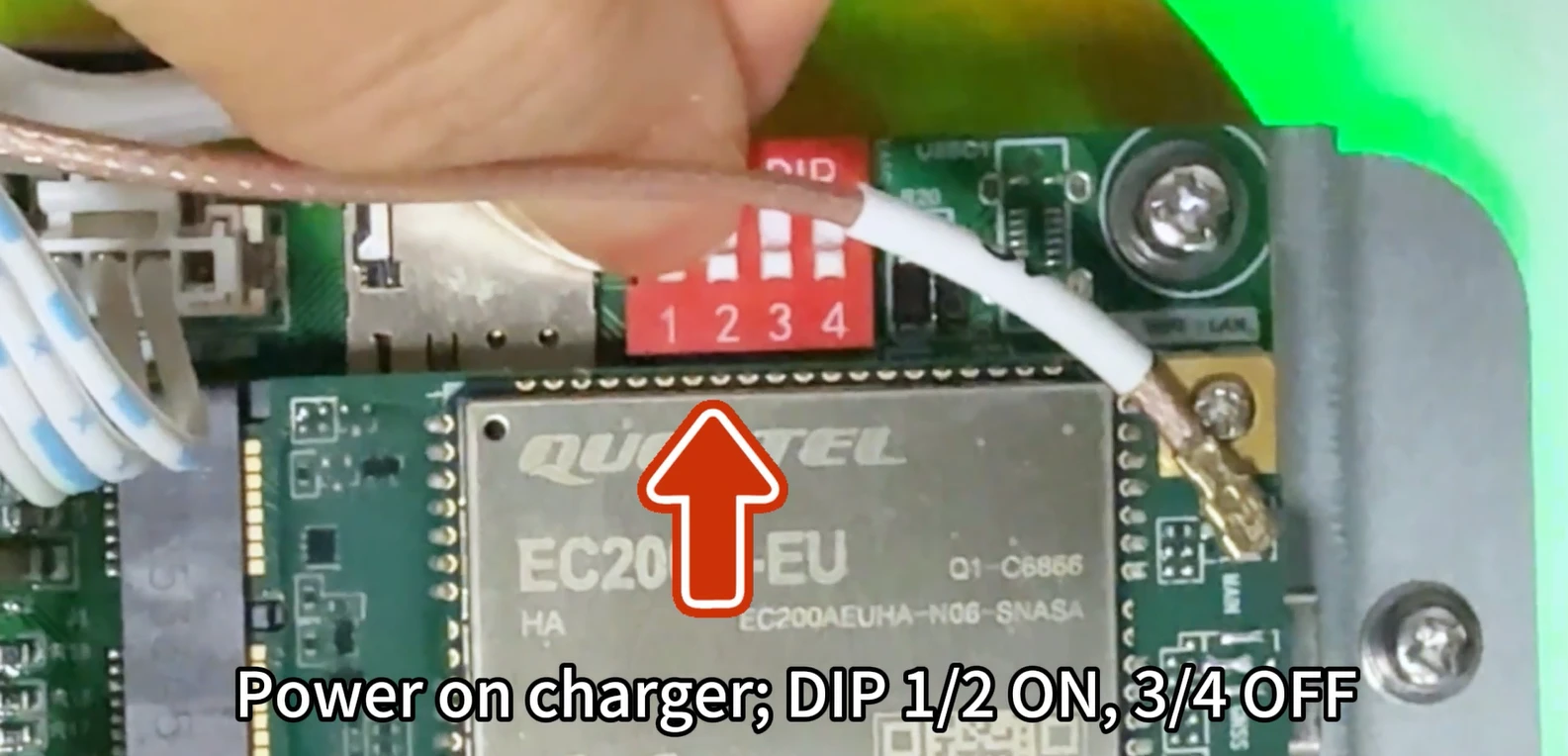
Initial setup uses a local web interface accessed via the charger’s default Wi-Fi hotspot or direct Ethernet connection. Users navigate to the network configuration page to enter the Wi-Fi SSID and password, or set dynamic/static IP parameters for wired connections. Hardware DIP switches are used to toggle network modes.
4G SIM and APN Configuration
For 4G-enabled models, install the micro-SIM card internally with the chip facing downward. APN settings for the mobile carrier are configured via the local web interface before the device connects to the cellular network.
OCPP and CSMS Configuration
The CSMS WebSocket URL and relevant authentication parameters are entered in the backend settings tab of the local configuration page. A device reboot establishes the persistent connection between the charger and the central management platform.
Remote and Local Configuration Options
Core network and connectivity parameters require local physical access for initial configuration. Basic operational status can be monitored remotely via the CSMS after the connection is established.
Common Connectivity Troubleshooting
Connection failures most often stem from incorrect IP settings, loose Ethernet cables, weak signal strength, or incorrect network credentials. A full power cycle resolves most temporary connectivity issues, with on-screen fault codes providing targeted diagnostic guidance.
How to Choose the Right EV Charger Connectivity Method
Key Selection Criteria
Primary decision factors include existing site infrastructure, deployment location, required reliability, total cost of ownership, and long-term scalability plans.
Wi-Fi vs Ethernet vs 4G
Wi-Fi delivers the lowest upfront cost for indoor sites with existing broadband; Ethernet offers the highest stability for permanent commercial installations; 4G provides maximum flexibility for remote or distributed charging networks without fixed broadband.
Recommended Solutions by Use Case
Residential and small office deployments typically select Wi-Fi; workplace garages and multi-tenant buildings with structured cabling prefer Ethernet; public charging networks and roadside stations without local broadband rely on 4G for independent operation.
Connectivity Considerations for Commercial EV Charging Networks
For multi-charger sites, prioritize connectivity that supports local load management and seamless CSMS integration to optimize energy usage and streamline daily operations.
Conclusion: Choosing the Right Connectivity for Your EV Charging Project
Whether you are deploying residential, workplace, commercial, or public EV charging infrastructure, choosing the right connectivity configuration can improve operational reliability and simplify long-term management.
ZECONEX EV chargers come with built-in Wi-Fi and wired Ethernet connectivity, while selected commercial-grade models offer optional 4G cellular connectivity for sites without reliable fixed network access. Compatible models support OCPP 1.6 JSON, enabling integration with central management platforms for remote monitoring and charging management.
For applications that do not require network-based management, ZECONEX EV chargers also feature a dedicated Plug & Play (free-vending) mode. Once enabled through local configuration, the charger can operate offline, allowing users to plug in and start charging without a backend connection.
Contact our technical team for tailored product recommendations and deployment guidance based on your project requirements.